Project Type
Is this for business or personal use?
AI project builder
Describe what you want. Conjure shapes it into a plan, builds the project in real time, adds visual direction, and gives you a live URL — all from your browser.
Free preview, no account needed.

From prompt to project
Here is the actual flow that produced the Plant Doctor & Garden site at the bottom — the same screens you see inside Conjure. No template, no boilerplate.
Is this for business or personal use?
Describe an idea — or share an interest or problem, and I’ll come up with some ideas for you.
Here are 3 directions this could go. Which of these excites you most?
A plant portfolio that combines AI photo-based disease diagnosis, a garden journal that tracks growth over time with charts, and a personalized plant-match quiz — each paired with AI-generated care guides tailored to your conditions.
Features


Real projects
Every one of these started as a short prompt and shipped as a live, working project. Open them — they’re real, and they’re running right now.
Snap a photo for an AI plant diagnosis, track growth over time with charts, and get matched to plants for your space.
View live


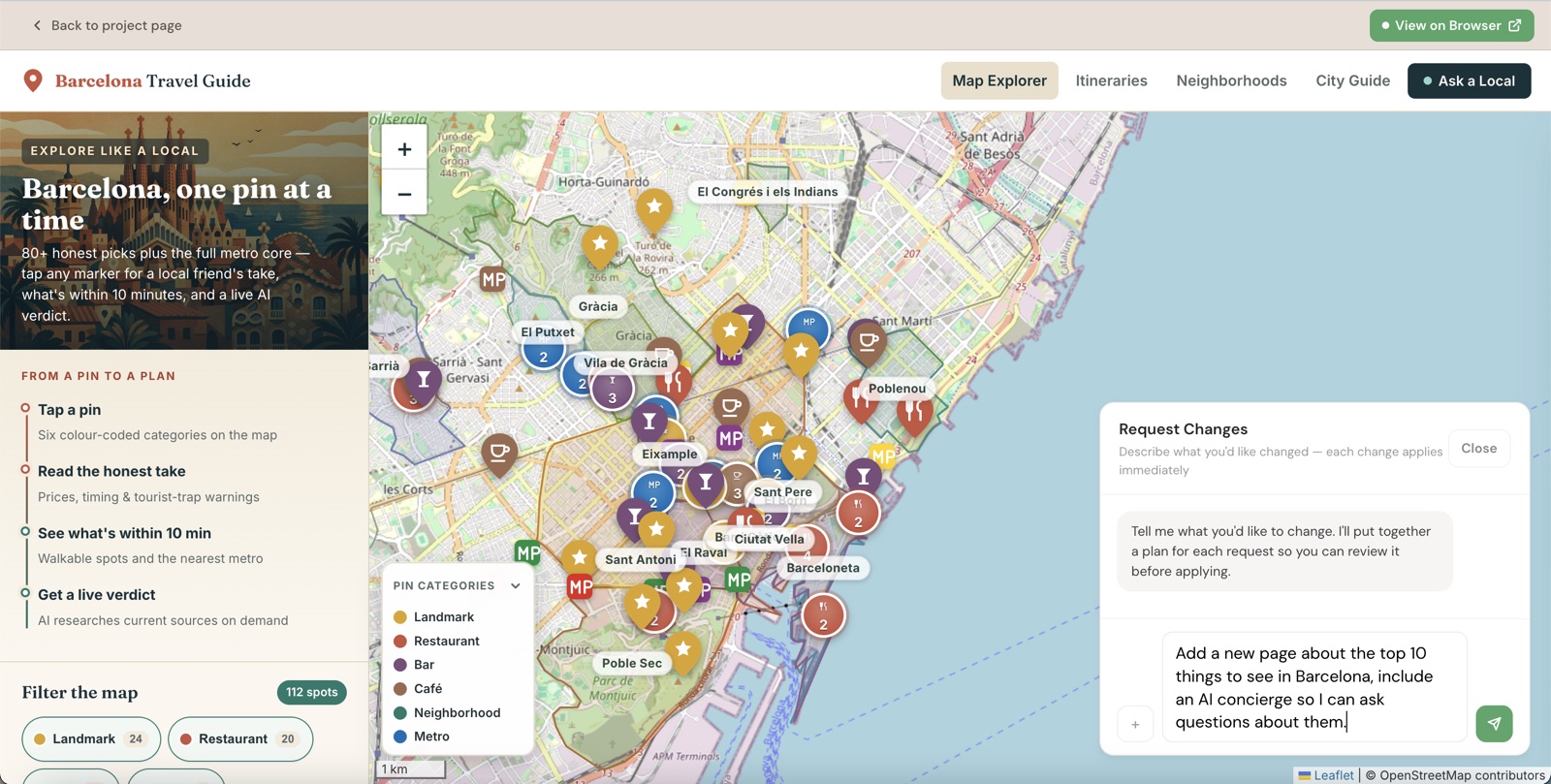
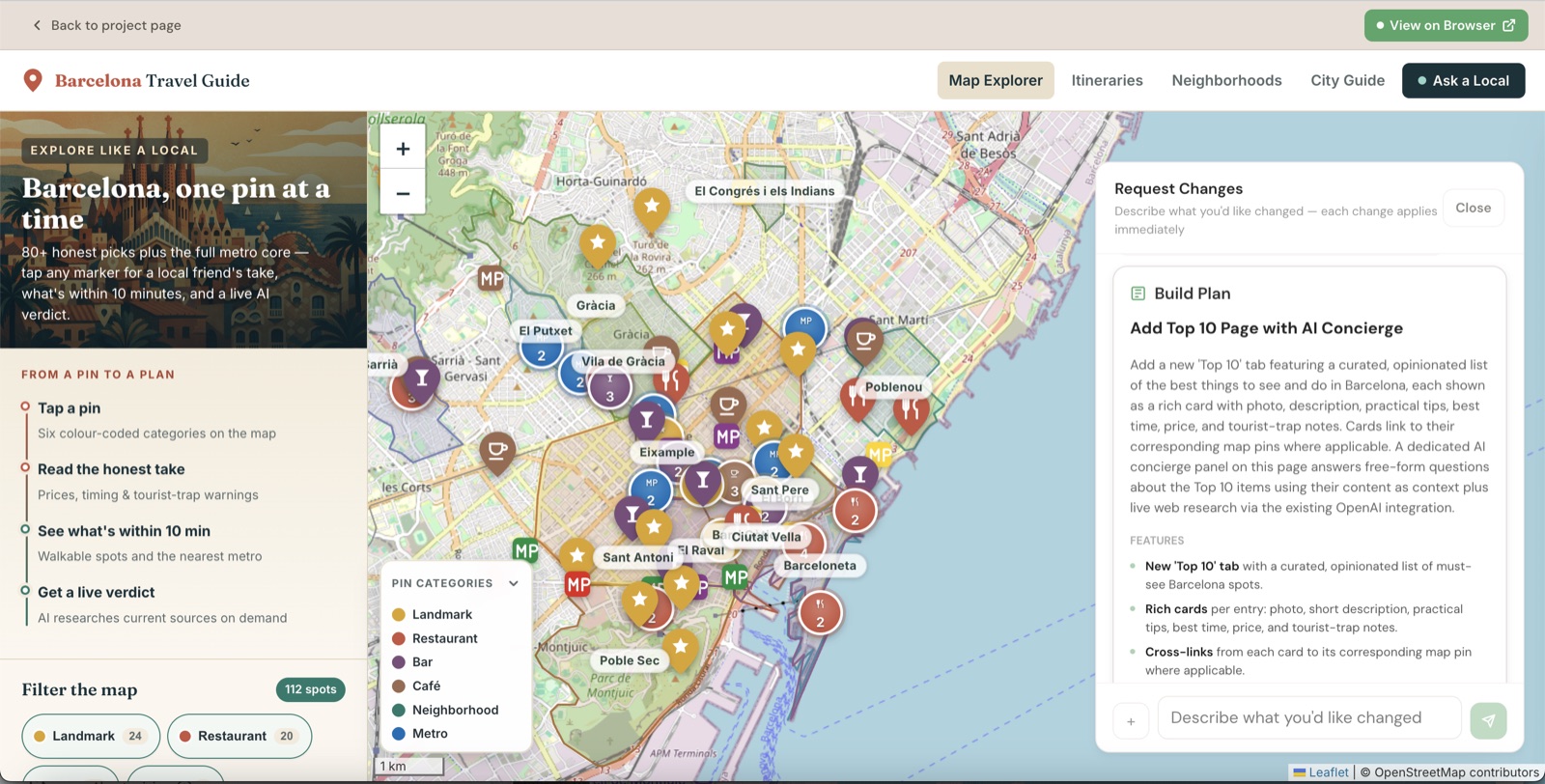
From “I’m going on a trip to Barcelona”: an interactive map where every restaurant, bar, landmark and metro stop is a clickable pin with honest local advice, walking itineraries, and live AI research.
View live


Twenty iconic rooms of power, each flipped with AI image editing and grounded in real archival history.
View live


From “Super smash bros ultimate”: AI matchup breakdowns for all 89 fighters, with stage picks and punish tips.
View liveWhat you get
Conjure builds real structure and real functionality around your idea — the parts that make a project actually useful, not just nice to look at.
Your project can call AI directly — for diagnoses, breakdowns, recommendations, and chat. No API keys to wire up, no setup.
Conjure researches and pulls in real data, images, and content, so your project ships with substance instead of placeholder text.
Navigation, filters, saved state, maps, and charts — a project you can actually use, not a single static scroll.
Preview it, refine it in chat, and publish to a shareable conjureapp.dev link whenever it’s ready.
Why it’s different
Most AI builders wait for you to know exactly what to ask, then do that one thing. Conjure starts from a single idea, decides what would actually make it useful, gathers real data, builds in working AI, and ships a live URL — without you specifying any of it.
A freelancer would charge $500–$2,000 and take a week. Conjure builds it from a sentence in minutes — most projects run about $20.
Keep building
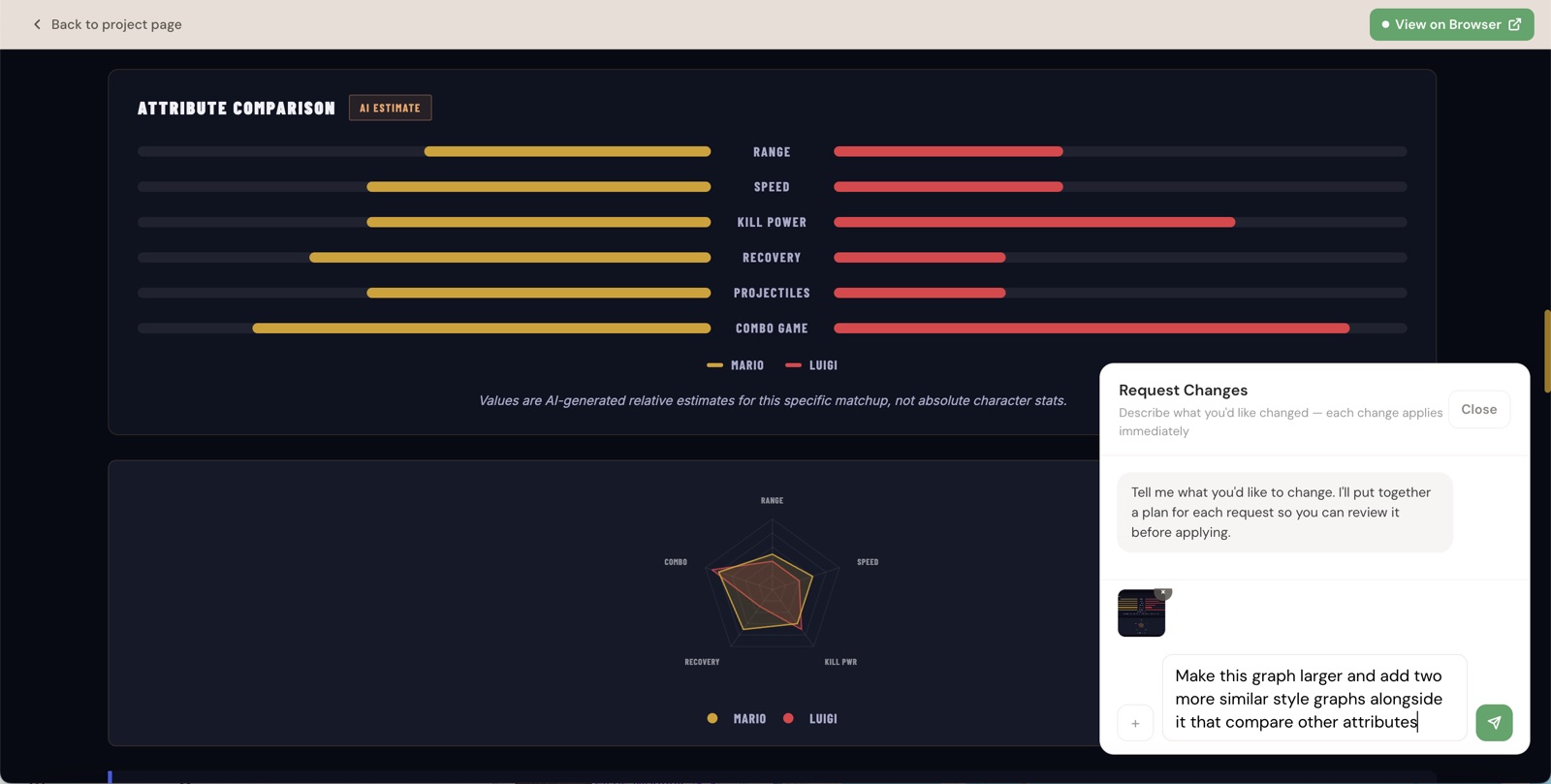
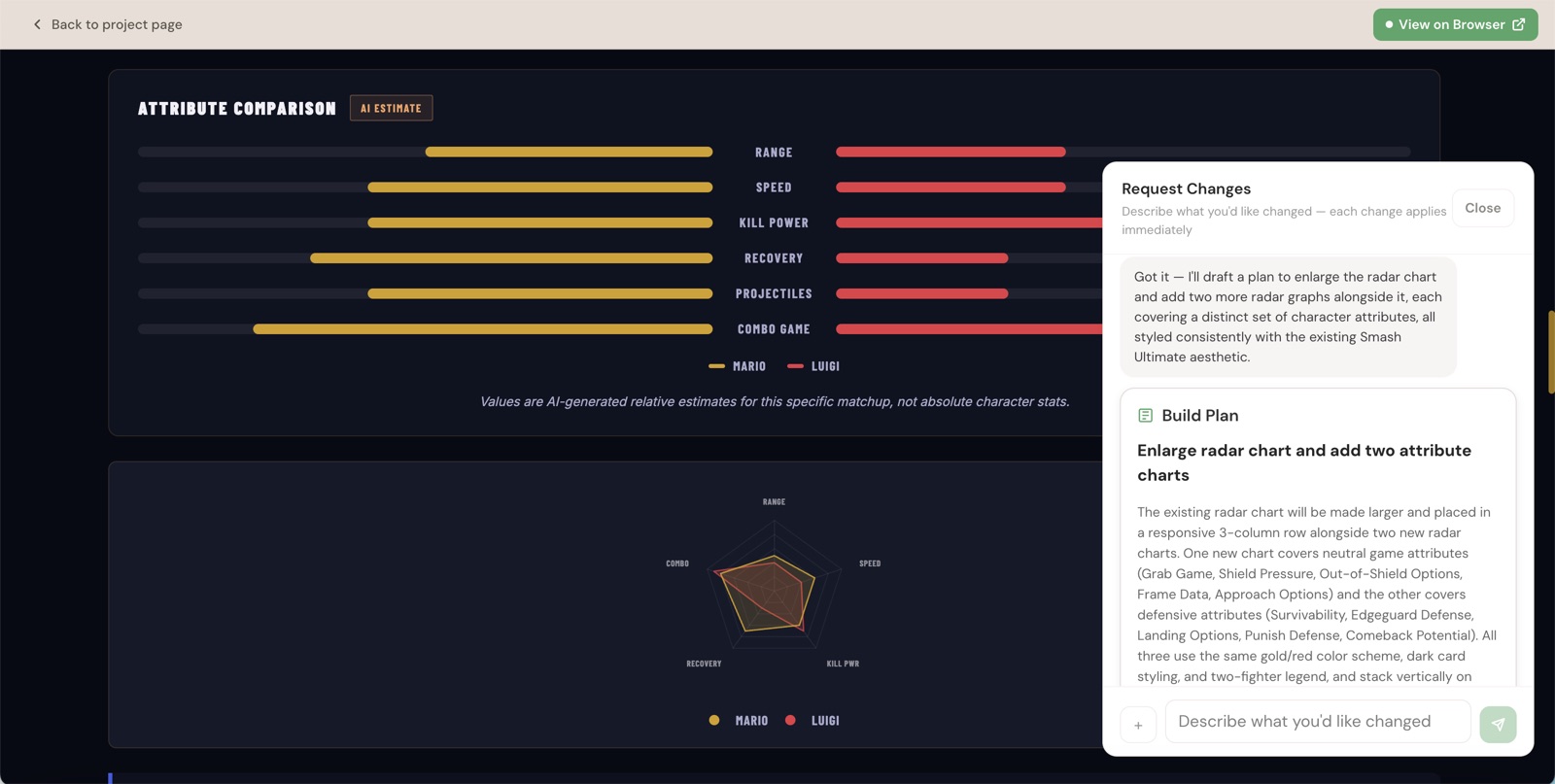
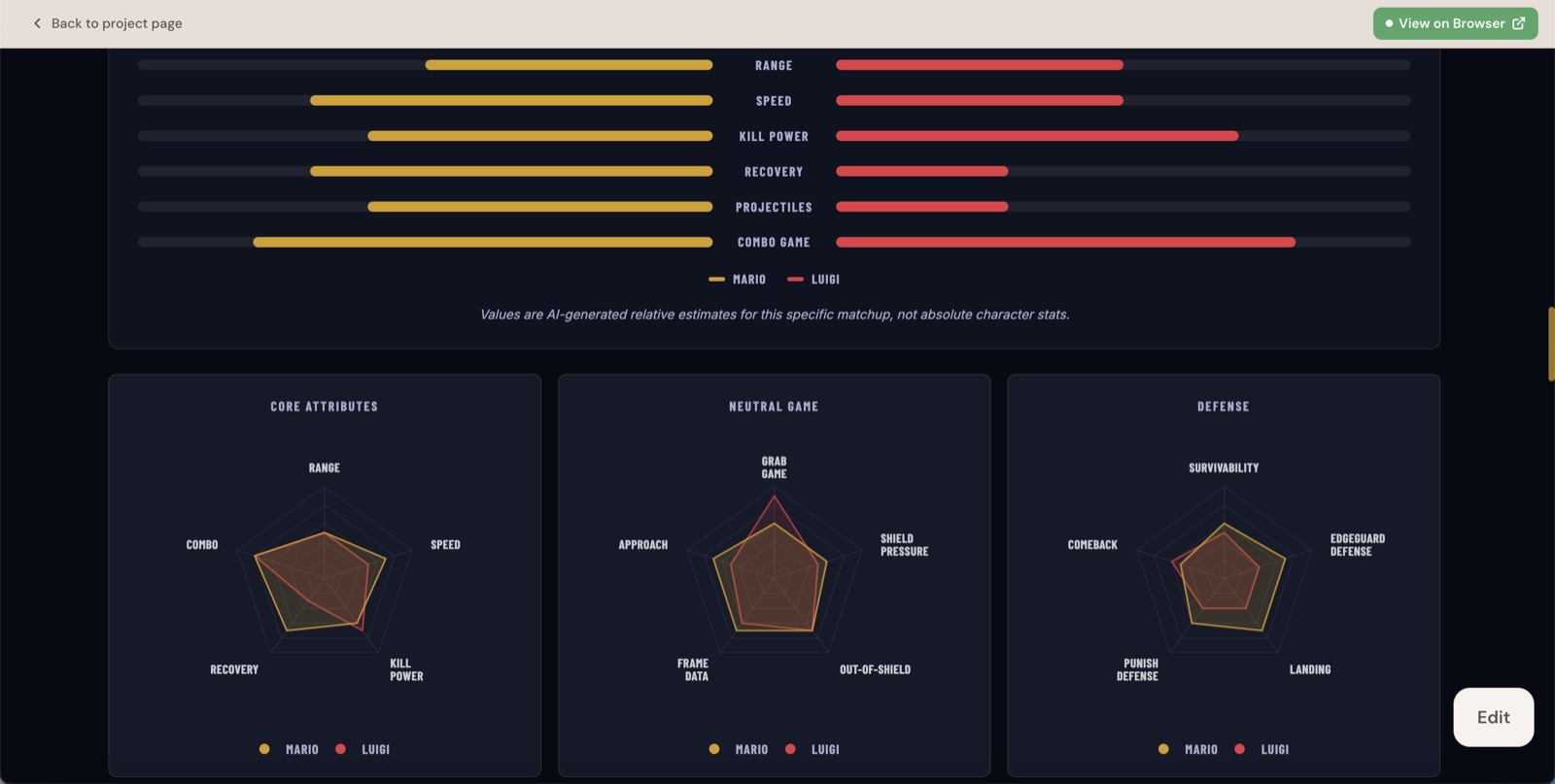
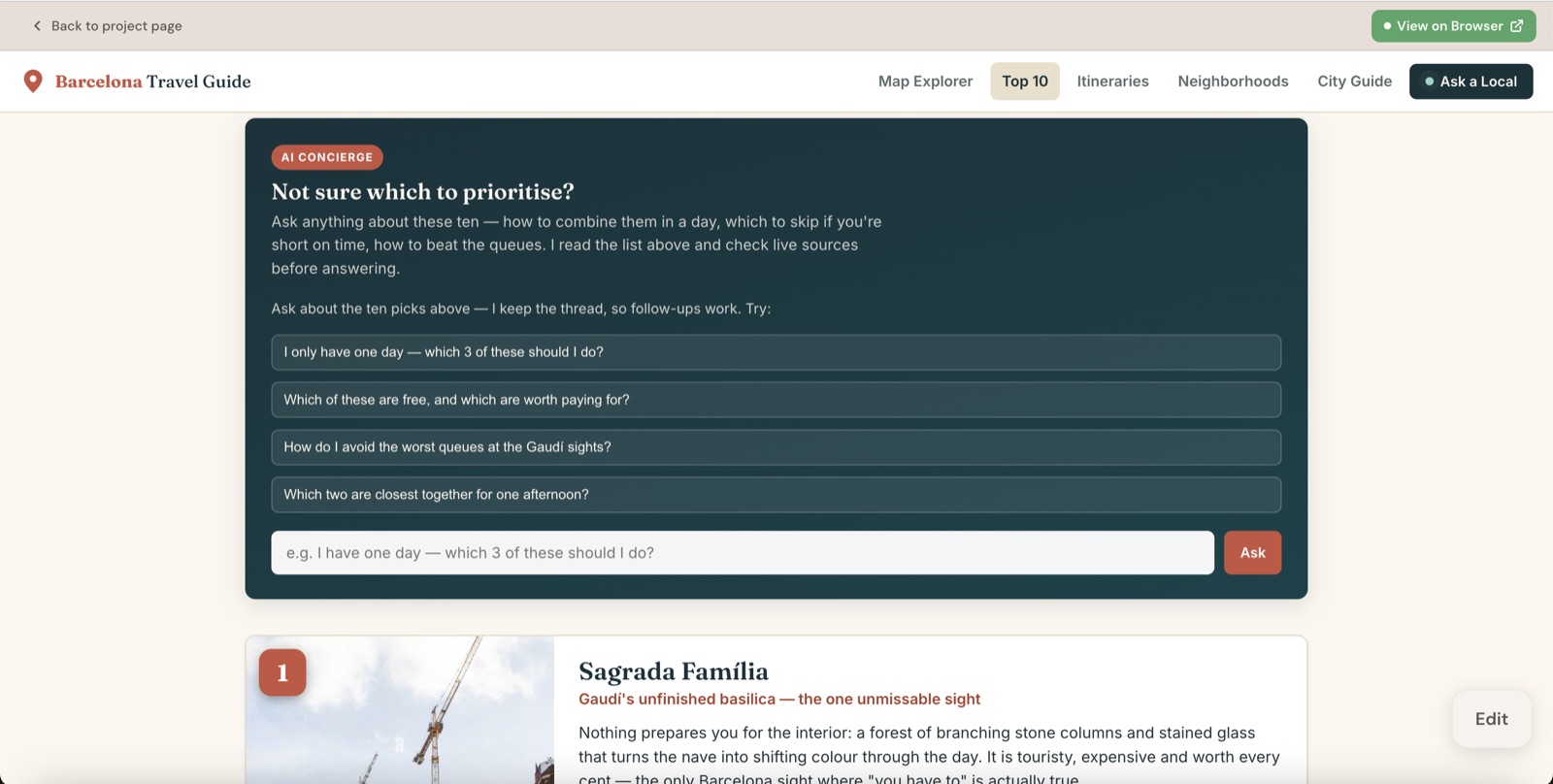
Your project is never finished. Open the preview, type the change you want, and Conjure drafts a plan and applies it — whether you’re reworking what’s already there or adding something brand new.
“Make this graph larger and add two more similar style graphs alongside it that compare other attributes”
“Add a new page about the top 10 things to see in Barcelona, include an AI concierge so I can ask questions about them”
How it works
Questions become a plan. The plan becomes real files. The files become a preview you can actually use.
Tell Conjure an idea, an interest, or a problem in plain language.
Review a clear plan — pages, features, and the AI and data it will use. Tweak it, or build.
Watch the project assemble for real: pages, content, data, and working interactions.
Ask for changes in chat. Conjure updates the project and shows you the result.
When it’s ready, it is polished, checked, and published to a live URL.
Ready when you are
Try the live preview above — free, no account needed — or open the app to start building.